1788768422572
Students get state-test question styles and tools in common assessments
by the Wayground Team
In common assessments, students get a line reader, a highlighter, and an answer eliminator.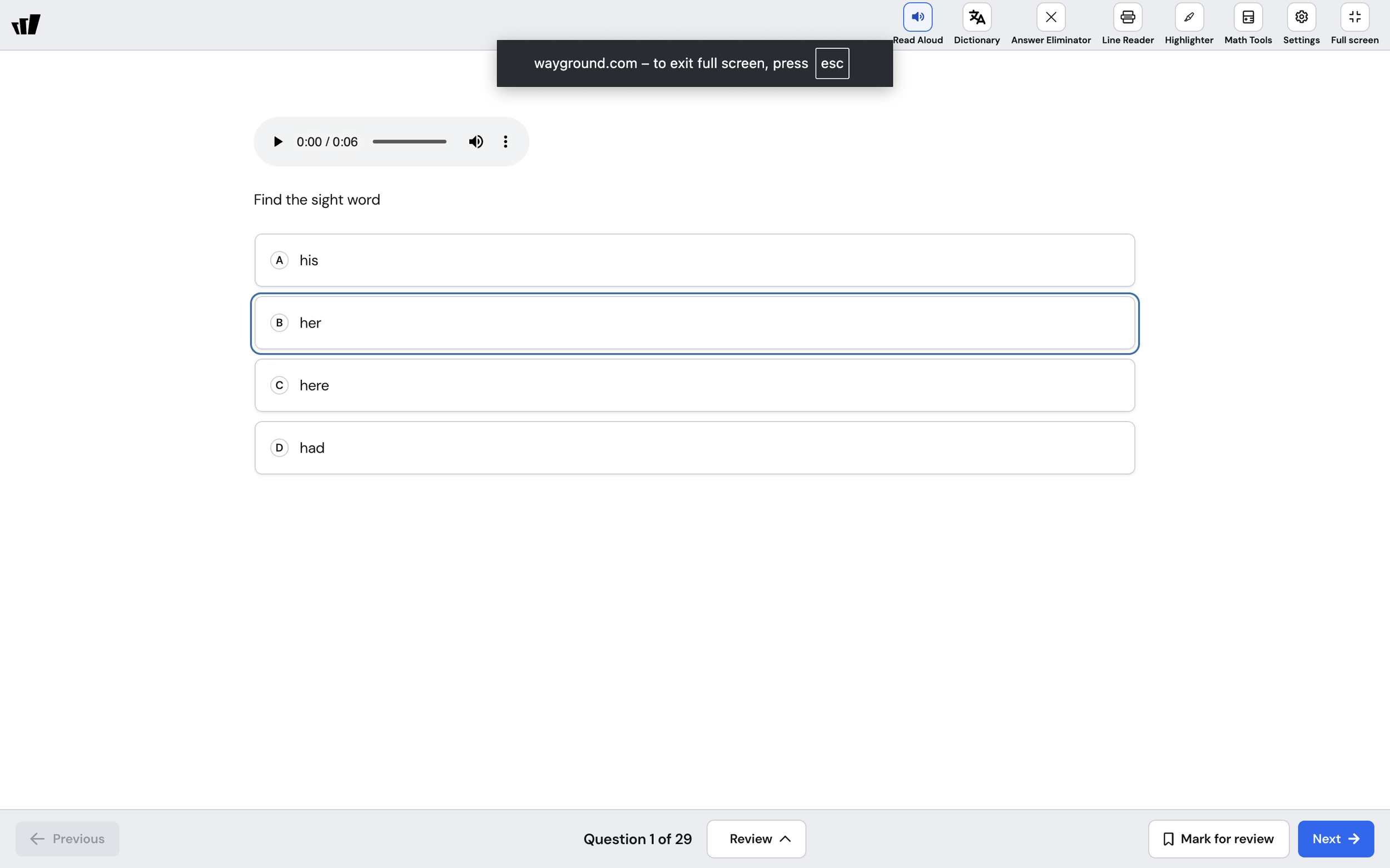
1788767748471
Watch live answers, write private notes, and add passages to your Presentations
by the Wayground Team
Presentations now show answers as they come in, hold notes only you can see, and support the Passage question type.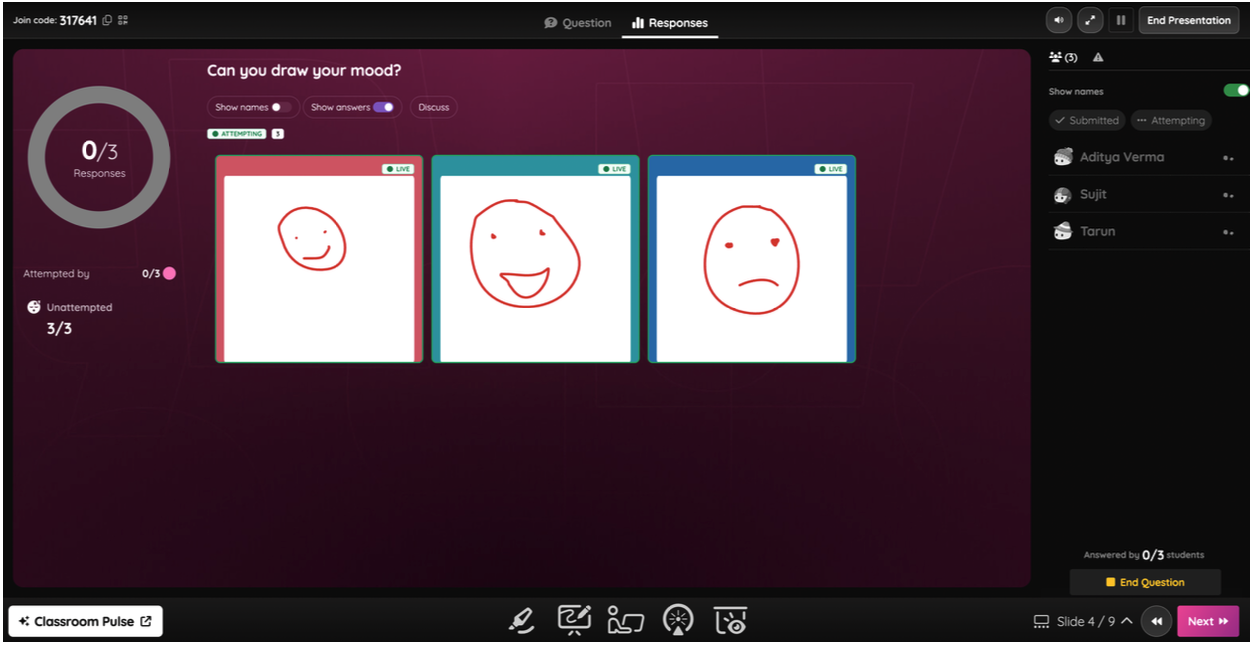
1785842471674
Passages now support tables, equations, and media
by the Wayground Team
Reading passages often carry a table, a diagram, or an equation that matters as much as the text. Advanced Formatting lets you build all of it directly into the passage your students read.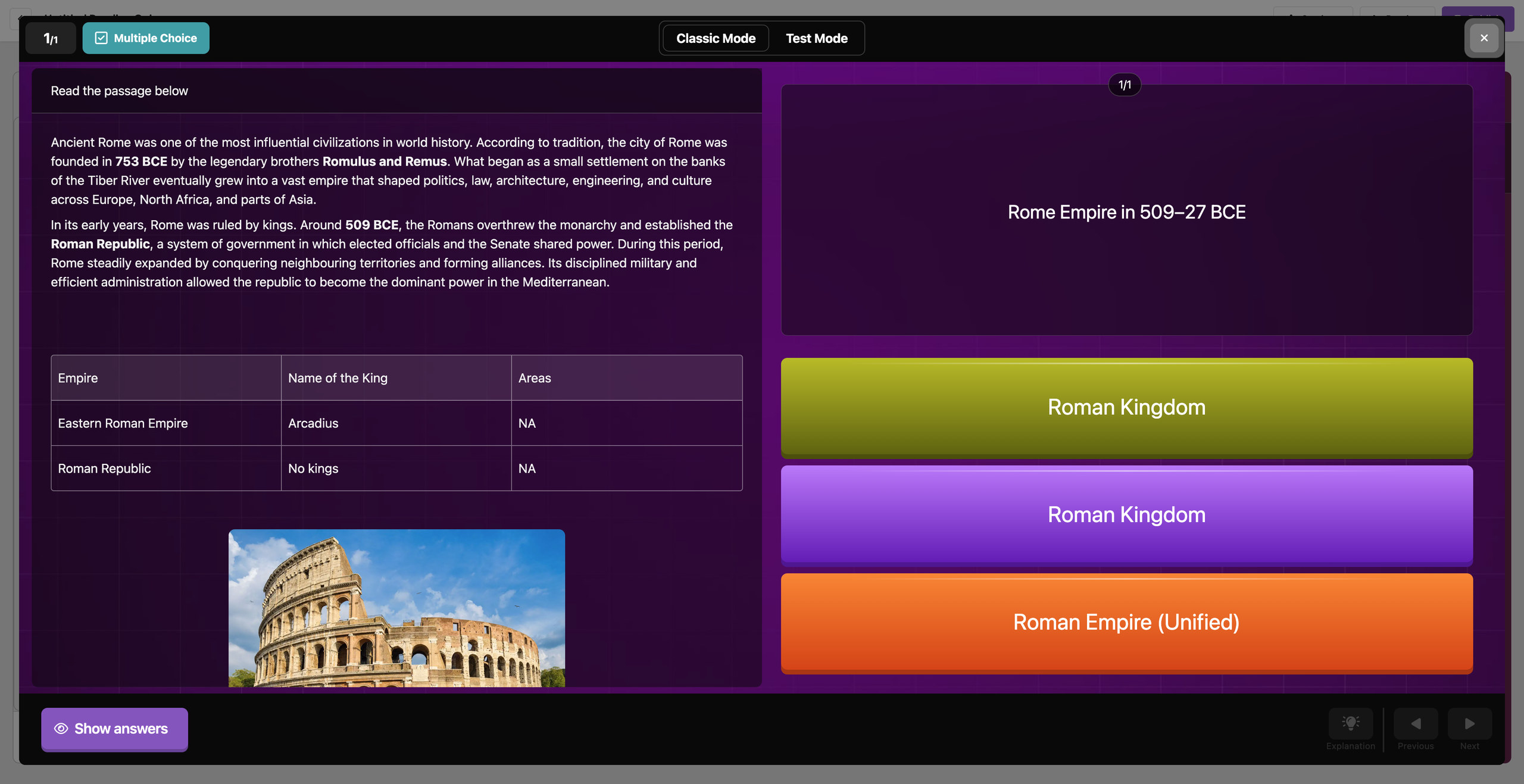
1779361794003
More Contextual Usage Analytics
by the Wayground Team
Usage Analytics now shows trends over time, a practice benchmark for each subject, and drill-downs from the tiles. The numbers come with the context to act on them.
1779357810306
An assessment experience aligned to your state test
by the Wayground Team
When the practice interface matches the real test, your students walk into testing day with one less thing to think about. The redesigned test mode is built for that.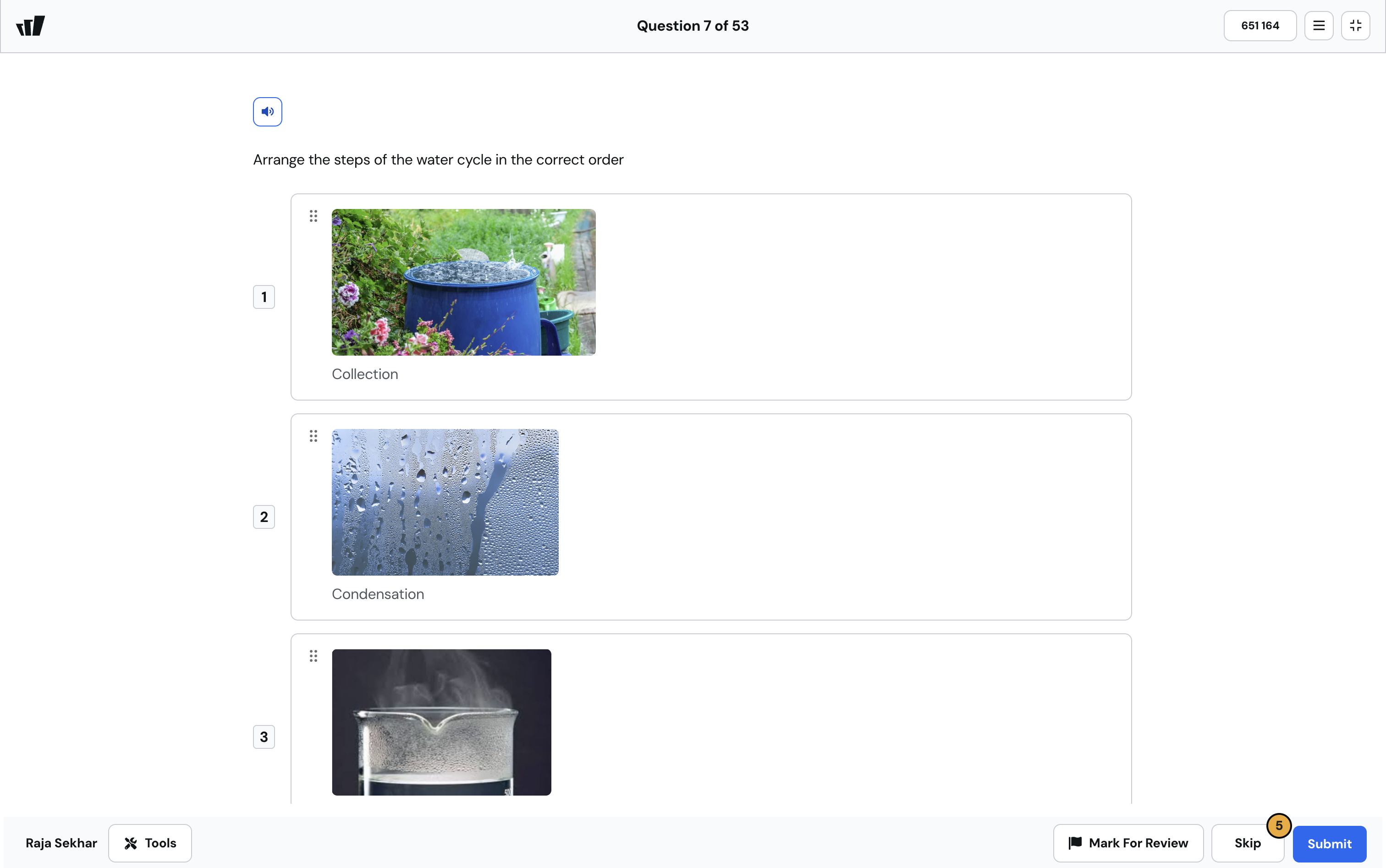
1777291770058
Manage Student Support Settings with Precision and Clarity
by the Wayground Team
Scrolling through a flat list of toggles to find the right accommodation wastes your prep time. The Student Support section is now organized into three distinct subsections so you can find and set exactly what you need, faster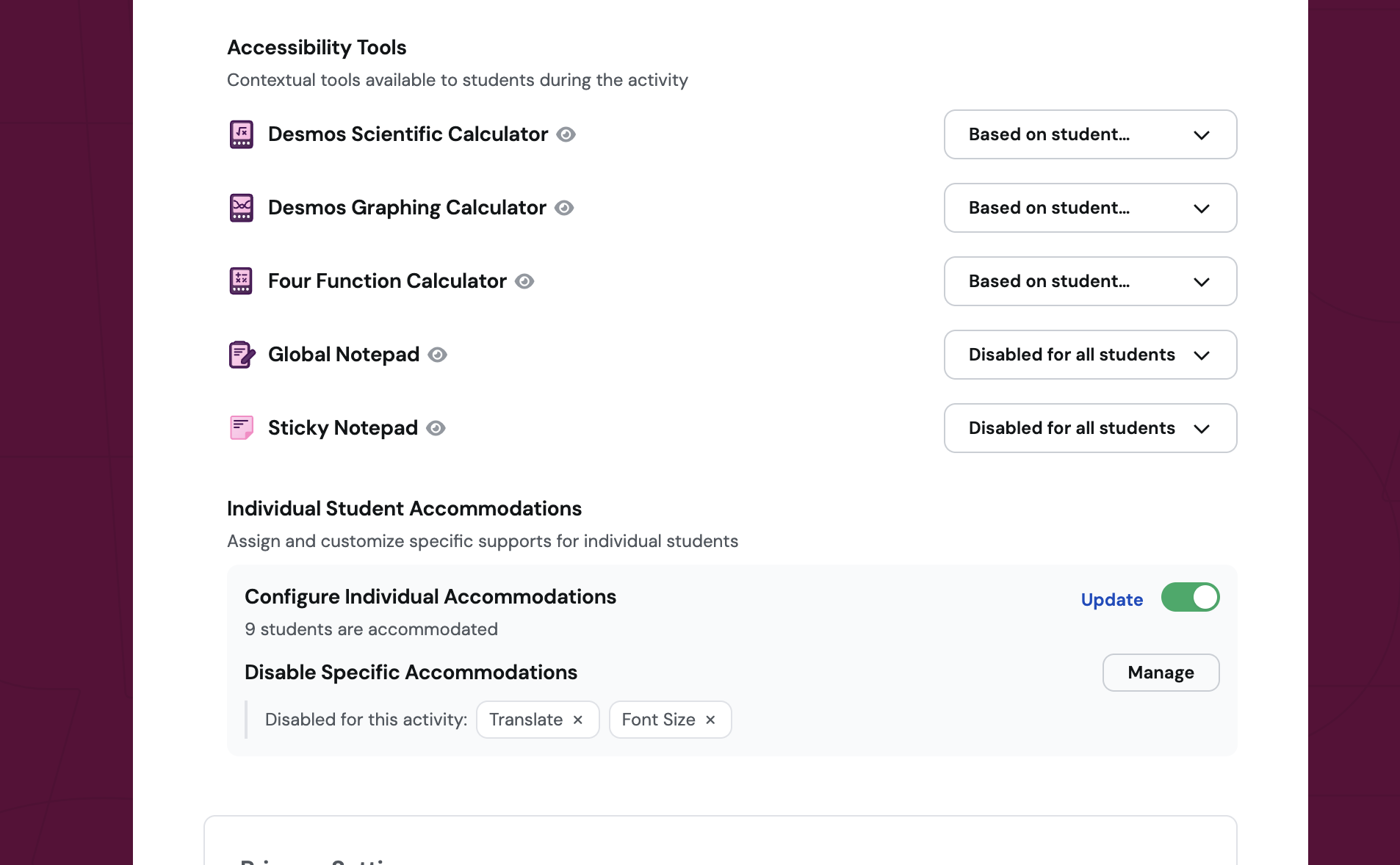
1777291615368
Add Custom Alt Text to Images Across All Question Types
by the Wayground Team
What it does Custom alt text support is now available for images across all question types. Instead of relying on auto-generated descriptions, you can write your own image descriptions that match the exact context of your lesson. These
1775132798742
See exactly where grade sync stands — and fix issues without waiting for support
by the Wayground Team
Grade sync used to be a black box. Now you can track sync progress, see which students were affected by errors, and resolve most issues on your own — right from the Sessions page.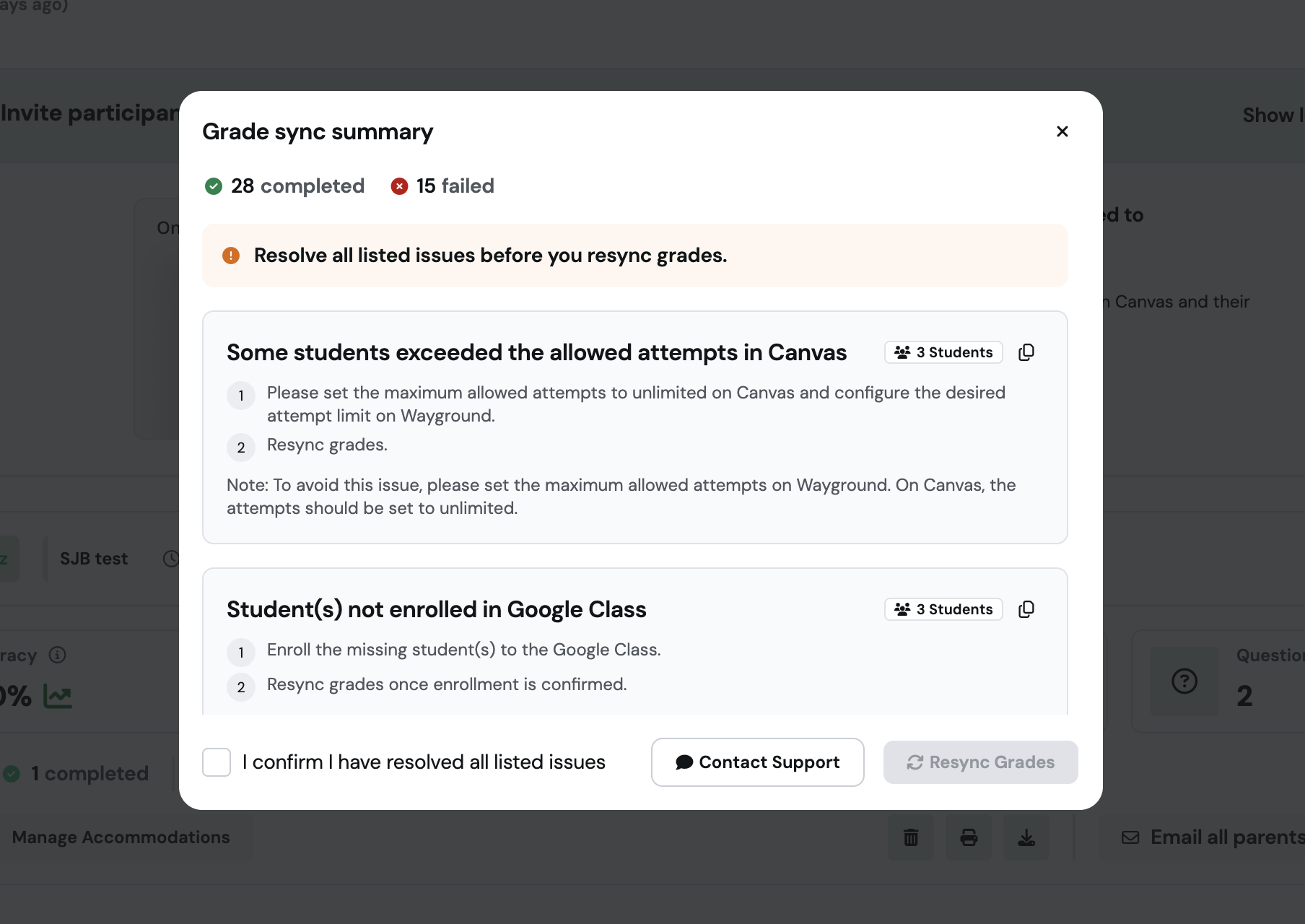
1775132633131
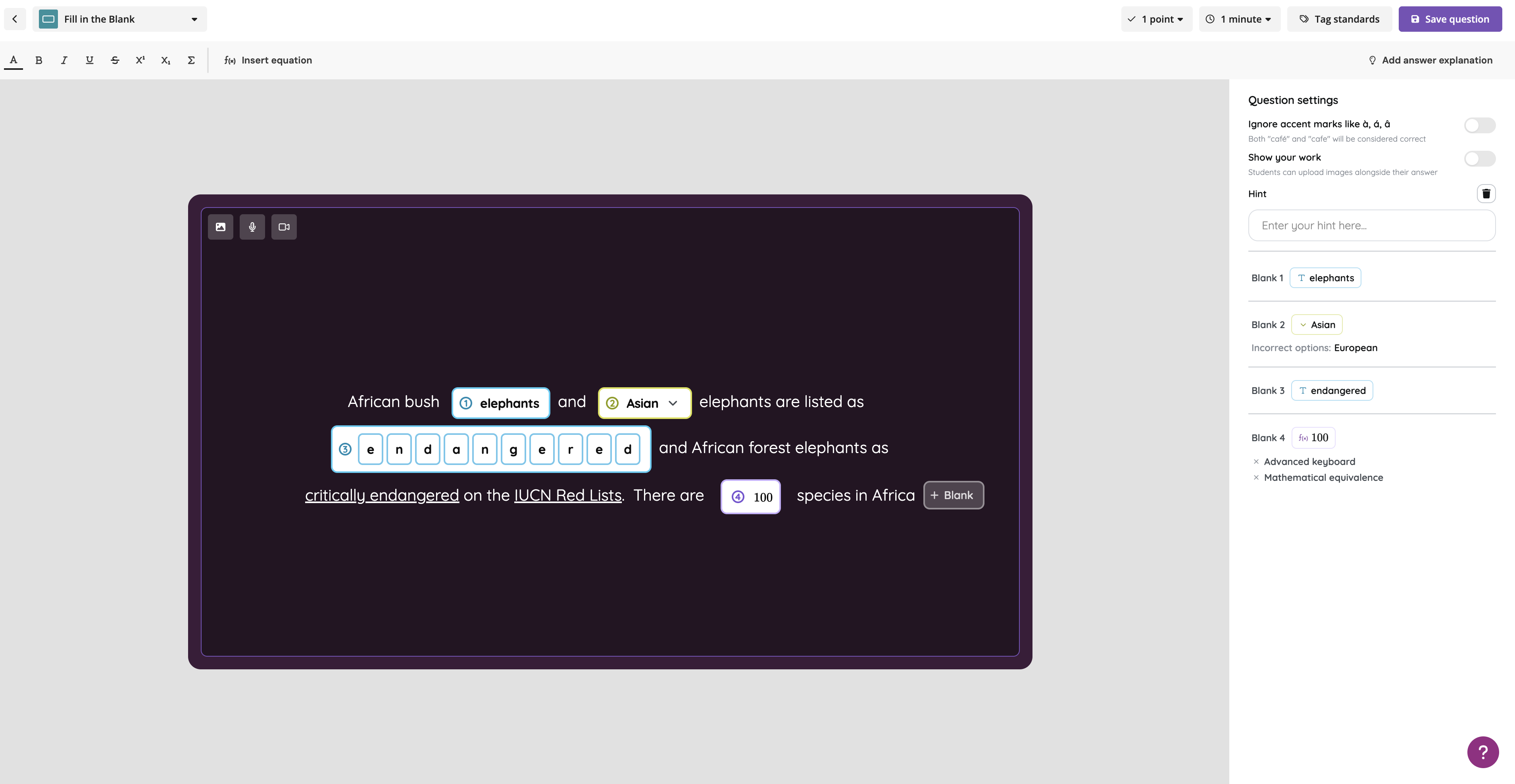
Add multiple blanks to a single fill-in-the-blank question
by the Wayground Team
One blank rarely tells the whole story. Now you can add multiple blanks — text, math, or dropdown — within a single question to build richer, more accurate assessments.