



Students get state-test question styles and tools in common assessments
1788768422572
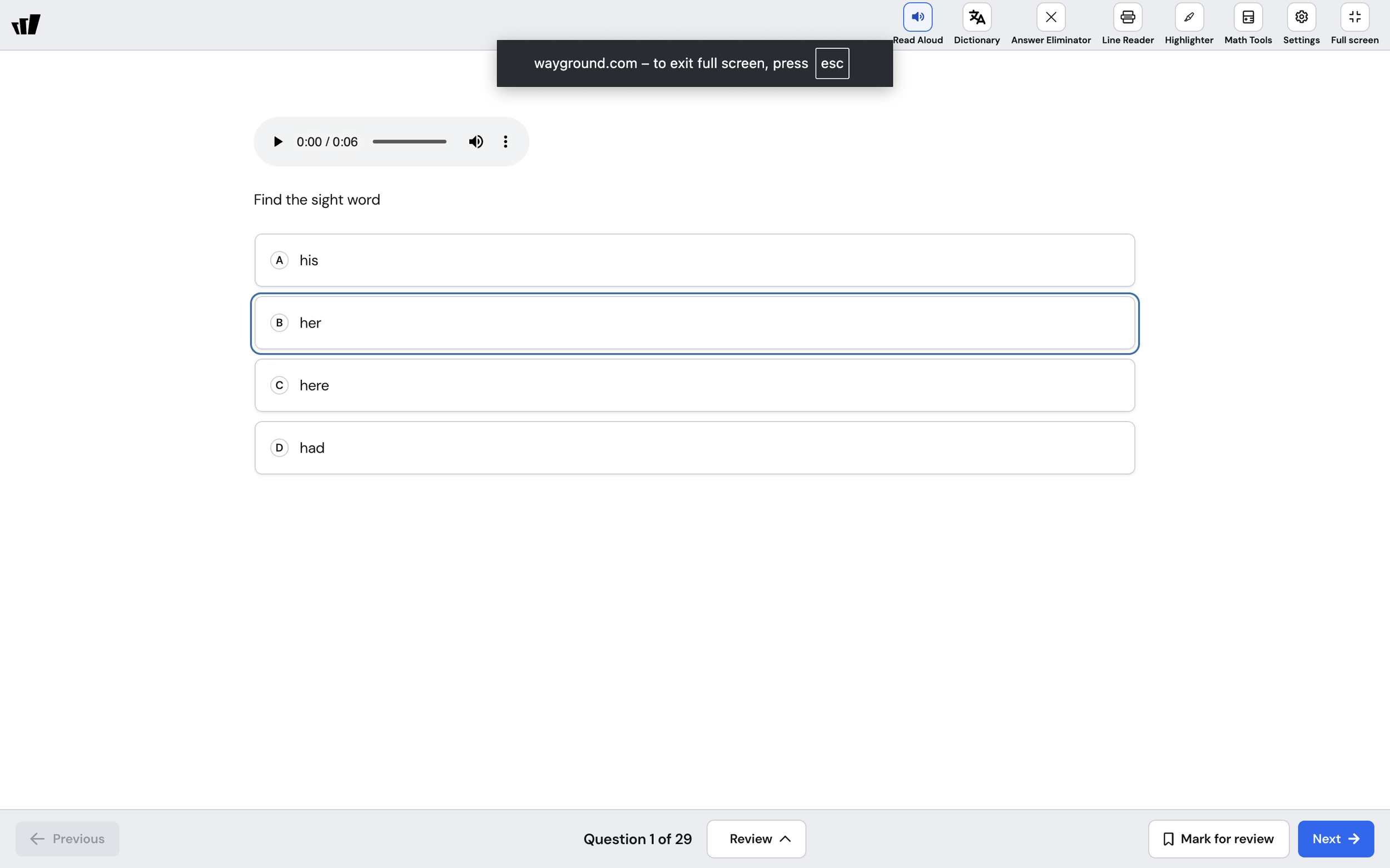
What it does
When your students take a state test, the questions look a certain way, and they use a fixed set of tools. Common assessments now match that. Every question type mirrors its state test counterpart, so the format your students practice on is the format they'll encounter on test day.
The redesign also adds the on-screen tools students expect on a real test: a Line Reader to track one line at a time, a Highlighter to mark up passages and questions, an Answer Eliminator to cross out choices, and Math Tools, including a protractor, for measuring and calculating.
How it works
There's nothing new for you to set up. Assign a common assessment the way you already do, and your students see the changes when they open it:
Every question type is restyled to mirror its state test counterpart
A test-taking toolbar with Line Reader, Highlighter, Answer Eliminator, and Math Tools
A review step to revisit questions, mark items for review, and check answers before final submission
Example in action
Your 7th-grade science class takes a mid-unit common assessment two weeks before the state test. The questions look like the ones they'll see on test day, and a student who needs it uses the Line Reader to move through a dense passage one line at a time. By the time the real test arrives, the format and the tools are already familiar.
What did you think about this update?


Leave your name and email so that we can reply to you (both fields are optional):
