



Get insights from your reports easily
1792765463020
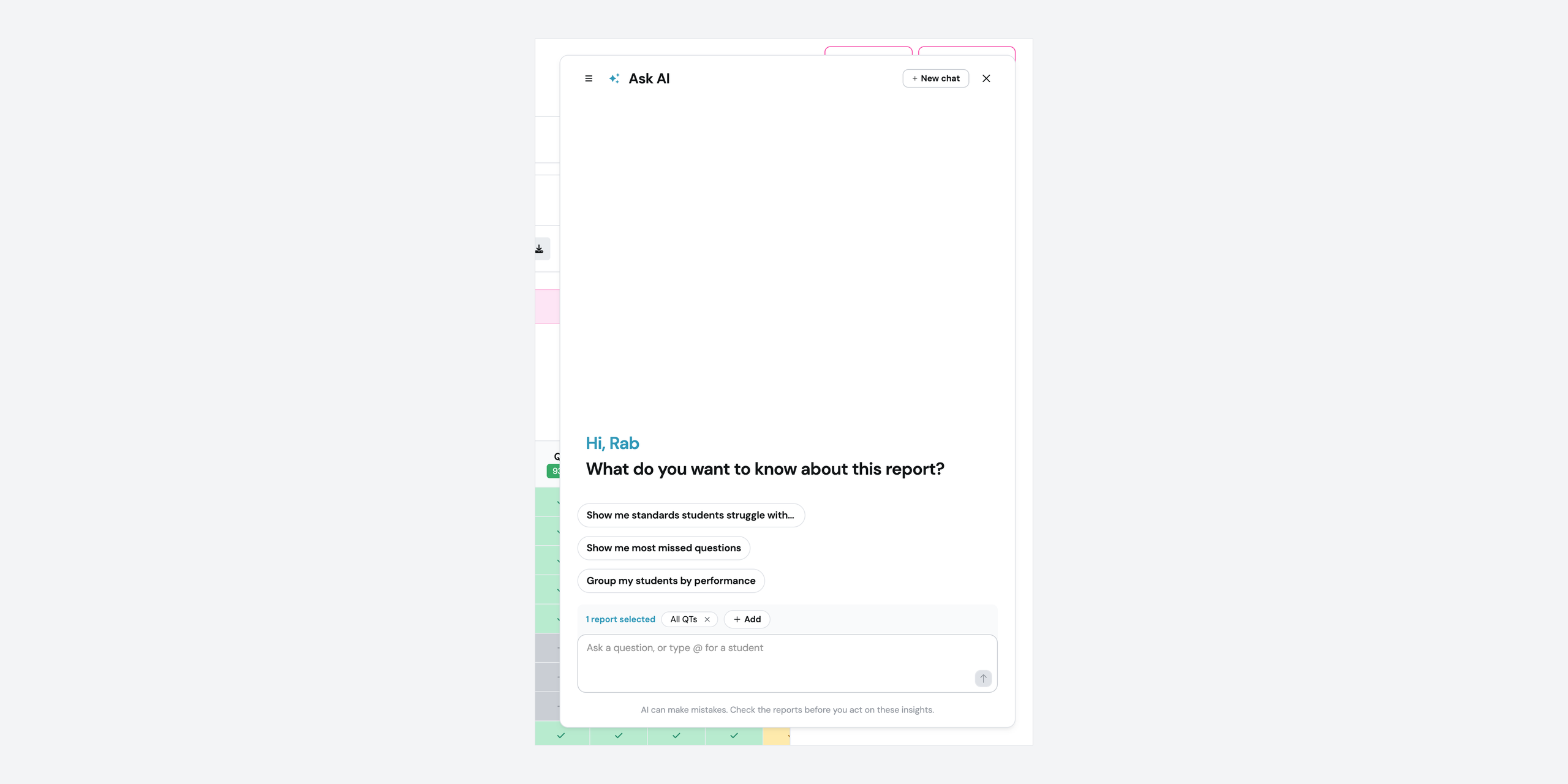
What it does
Ask AI on your reports has a redesigned chat. To ask about one student, type @ and pick their name from your class list. You can also pull up to three reports into a single chat, so one question covers two classes or both attempts at the same quiz.
Student names stay in your report. The AI works from results, and you see real names in every answer.
How it works
Open Ask AI from a report, or from your list of reports
Ask your question in your own words, or pick one of the suggested prompts
Type
@and pick a student to narrow the question to themClick Add to bring in another report, up to three in one chat
Analyse with AI on the reports tab is retired. Ask AI replaces it.
Example in action
Your 7th grade math class took the same unit quiz twice, two weeks apart. You open the first report, add the retake, and ask which standards moved. Then you type @ and one student’s name to see how she compares with the class average. You get the comparison in the chat without leaving the report.
What did you think about this update?


Leave your name and email so that we can reply to you (both fields are optional):
