



Tag and generate content aligned to WIDA ELD standards
1777548665886
What it does
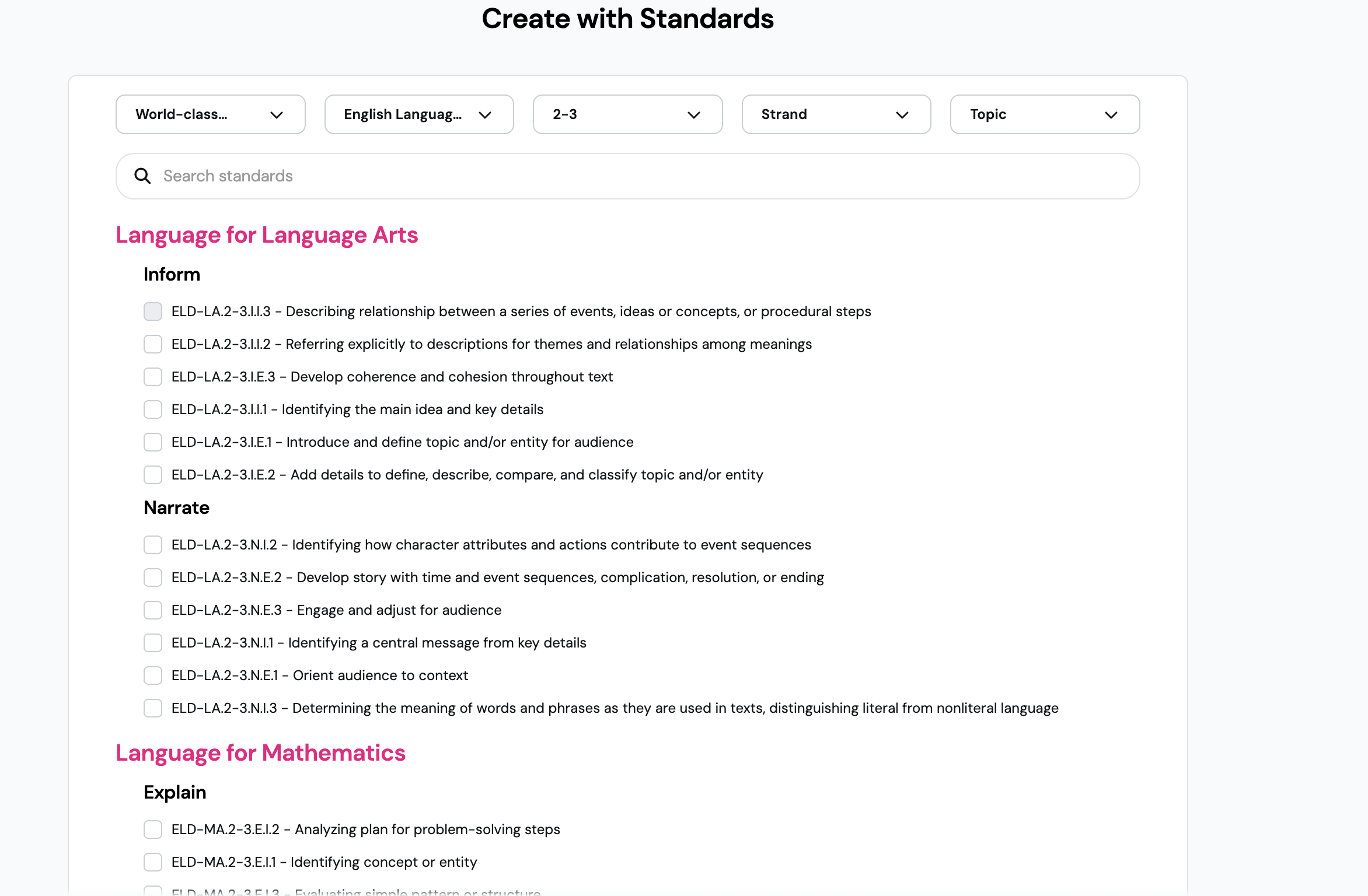
Wayground now supports WIDA English Language Development (ELD) standards across the content creation experience. Whether you're building a new resource from scratch or updating an existing one, you can connect your questions directly to the 2020 Edition WIDA ELD framework - the same standards your ELL and ESL students are assessed against.
Once your content is tagged - whether generated or manually labeled - you unlock standards-aligned reporting that shows you exactly how your English Language Learners are performing against each standard.
How it works
Go to the Create flow and select WIDA ELD as your standards alignment before generating questions.
Review the generated questions and add them to your resource.
To tag existing content, open a resource that aligns with WIDA ELD standards in the Editor.
Select a question and look for the standards tagging option.
Search for and apply the relevant WIDA ELD standard from the 2020 Edition framework.
After running a session, check your reports for standards-aligned data tied to each WIDA standard.
Example in action
You're an 8th grade ESL teacher preparing a reading comprehension resource around an informational text. Instead of cross-referencing the WIDA framework separately, you open the Create flow, select the appropriate WIDA ELD standard for your students' proficiency level, and generate questions aligned to it directly. After your session, your reports break down student performance by standard - so you know exactly where to focus your next lesson.
What did you think about this update?


Leave your name and email so that we can reply to you (both fields are optional):
