



Students receive a practice set based on the questions they missed
1788763316284
What it does
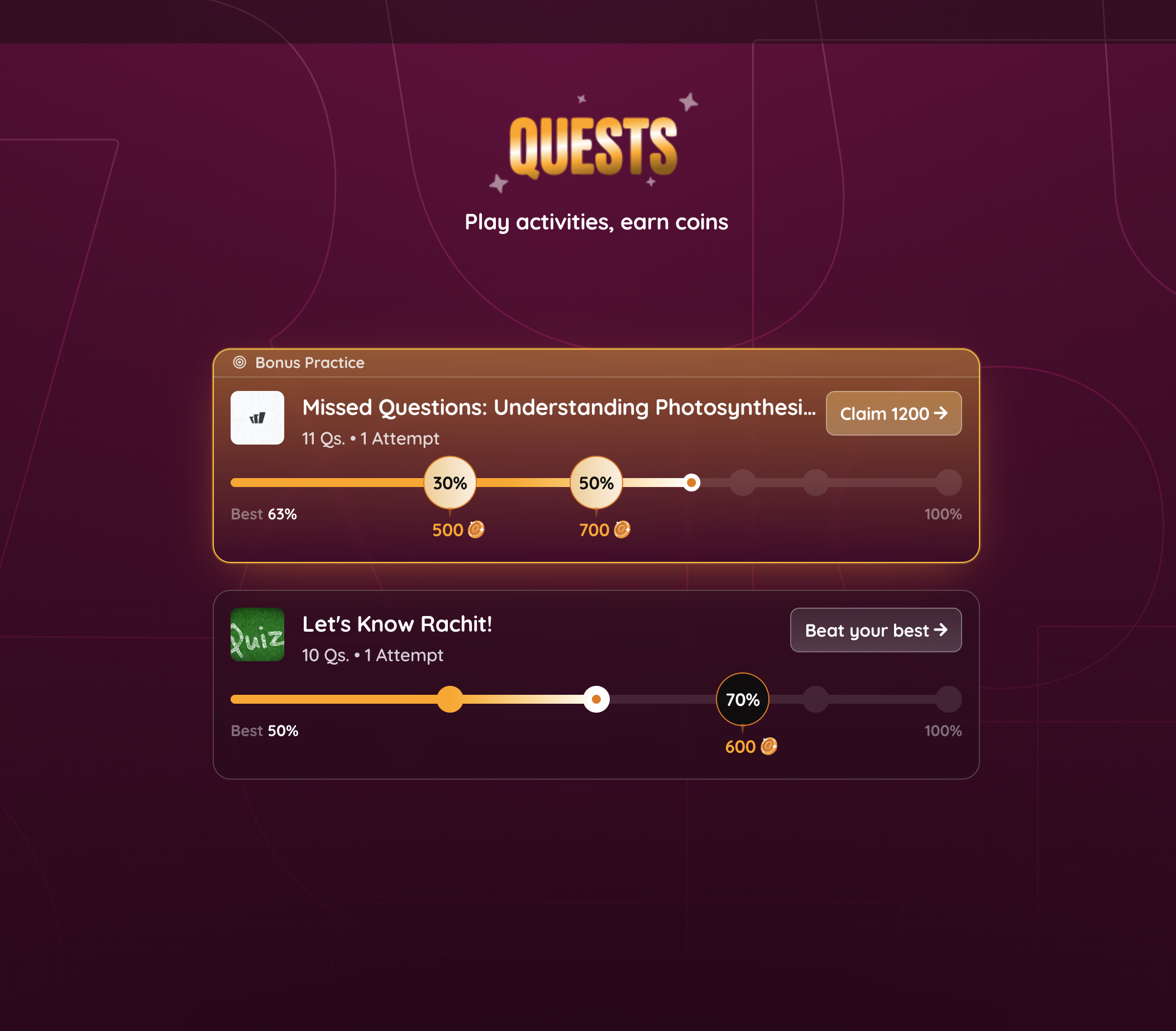
Quests give your students a reason to revisit assigned work and improve it. Students earn quests in two ways: from questions they miss and from the homework you assign.
When a student scores below 60% on a session, Quests automatically builds a missed-question practice set for them, mixing the questions they missed with similar ones on the same concepts. The homework you assign can also become a quest that students retry to improve their accuracy.
How it works
Quests runs on its own, so there's nothing new for you to set up. After a student finishes an assigned session, one of two things can happen:
1. If they scored below 60%, they receive a missed-question practice set targeting the questions they got wrong
2. If you assigned it as homework, it becomes a quest they can reattempt to beat their best accuracy
Each accuracy milestone they reach pays out coins.
You can track all of this on the session's report page. The missed-question practice panel shows how many students scored below 60% and how many kept practicing. View the practice report to see students' practice-set accuracy along with the full question bank.
Example in action
Your 7th-grade science class wraps up a session on photosynthesis, and three students score below 60%. Each of them picks up a practice set on the exact concepts they missed, earns coins as their accuracy climbs, and comes back to beat their best. When you open the session's report, you can see which of them kept practicing and how far they got.
What did you think about this update?


Leave your name and email so that we can reply to you (both fields are optional):
