



Skip the setup - automated class imports from Clever and Classlink are here
1765444008586
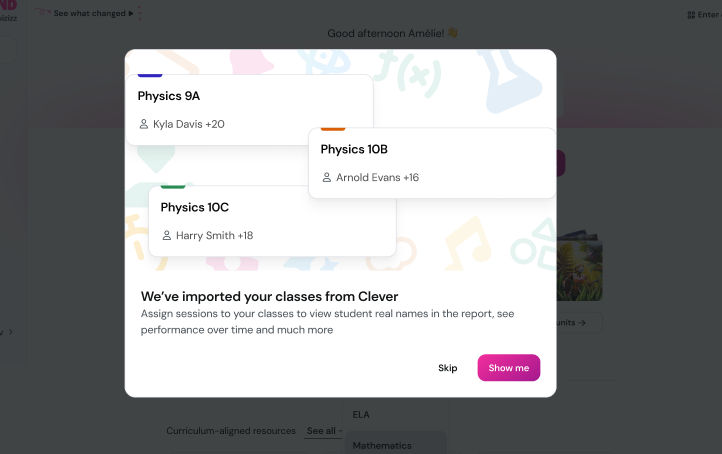
What it does
Automated Class Imports take care of syncing your classes, students, and co-teachers directly from Clever or ClassLink into Wayground. That means less setup, fewer errors, and more time for actual instruction.
Once connected, your rosters come in automatically—with smart updates along the way.
How it works
Your school's System Admin connects Wayground to Clever or ClassLink
Classes, students, and teachers are synced centrally
Imported classes are marked as auto-rostered
They convert to regular classes when you start a session or update a roster
Rosters refresh automatically each month
Behind the scenes, Wayground uses our SIS Store for syncing, which makes the system more stable and less likely to hit snags like rate limits.
Example in action
Let’s say you teach 6th grade science in a Clever-integrated district. You log in to Wayground—and your classes (with students and co-teachers) are already there. You launch your forces and motion presentation, and as soon as you assign it, your sections become active, editable classes. No manual import screens, no tab juggling.
District staff can also now manage accommodations directly across all classes—so support plans actually support your students, wherever they land. Wayground even prevents students from creating their own teacher accounts or ending up in the system twice.
Set it and teach.
