



See exactly where grade sync stands — and fix issues without waiting for support
1775132798742
What it does
Grade sync happens in the background, which used to mean you had no way of knowing whether your students' scores made it to your LMS — until a student flagged a missing grade. This update brings full visibility into the sync process, directly from your Sessions page.
Here is what is new:
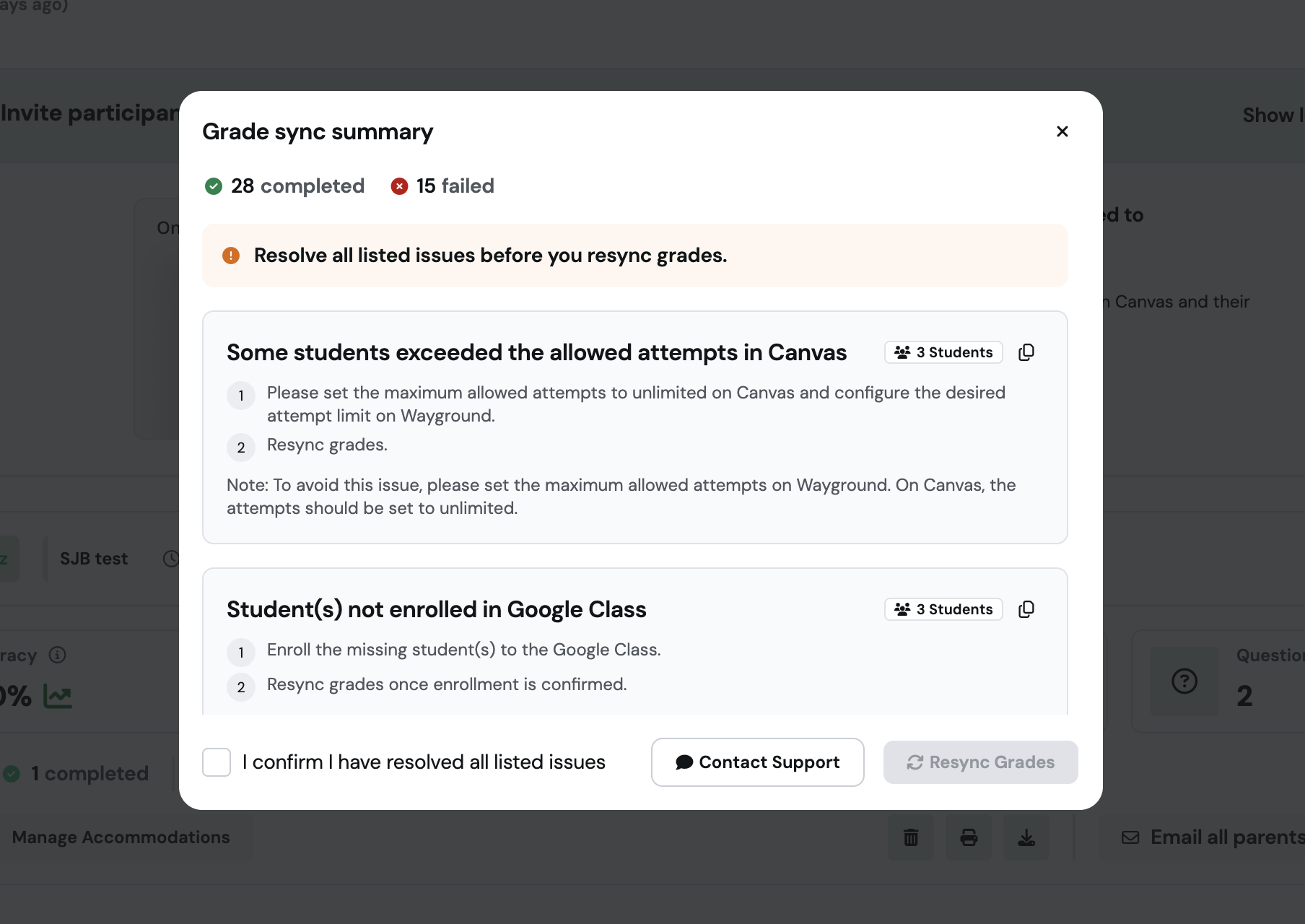
Live sync progress — see at a glance how many students' grades are pending, successfully synced, or failed, right after you click the resync grade button
Clear failure summaries — when grades fail to sync, you see exactly which students were affected and why, grouped by error type
Actionable fix suggestions — each error includes a plain-language explanation and step-by-step guidance so you can resolve it without raising a support ticket
Resync tracking — trigger a resync, refresh the page, and watch students move from pending to synced in real time
How it works
Open your Sessions page and find the session you want to check.
Click the Resync Grades button.
A live progress view appears showing pending, synced, and failed counts for your students.
If any grades failed, review the failure summary to see which students were affected and the reason, grouped by error type.
Follow the fix suggestion provided for each error, then trigger a resync and refresh the page to confirm grades go through.
Example in action
Your 8th grade class just finished a graded session and you notice three students show a sync failure. Instead of filing a support ticket and waiting, you open the failure summary, see that those three students have a misconfigured LMS account, and follow the plain-language fix suggestion to resolve it. You trigger a resync, refresh the page, and all three grades land in your gradebook — before the period ends.
What did you think about this update?


Leave your name and email so that we can reply to you (both fields are optional):
