



Reopen assignments for specific students - without resetting for everyone
1760614638000
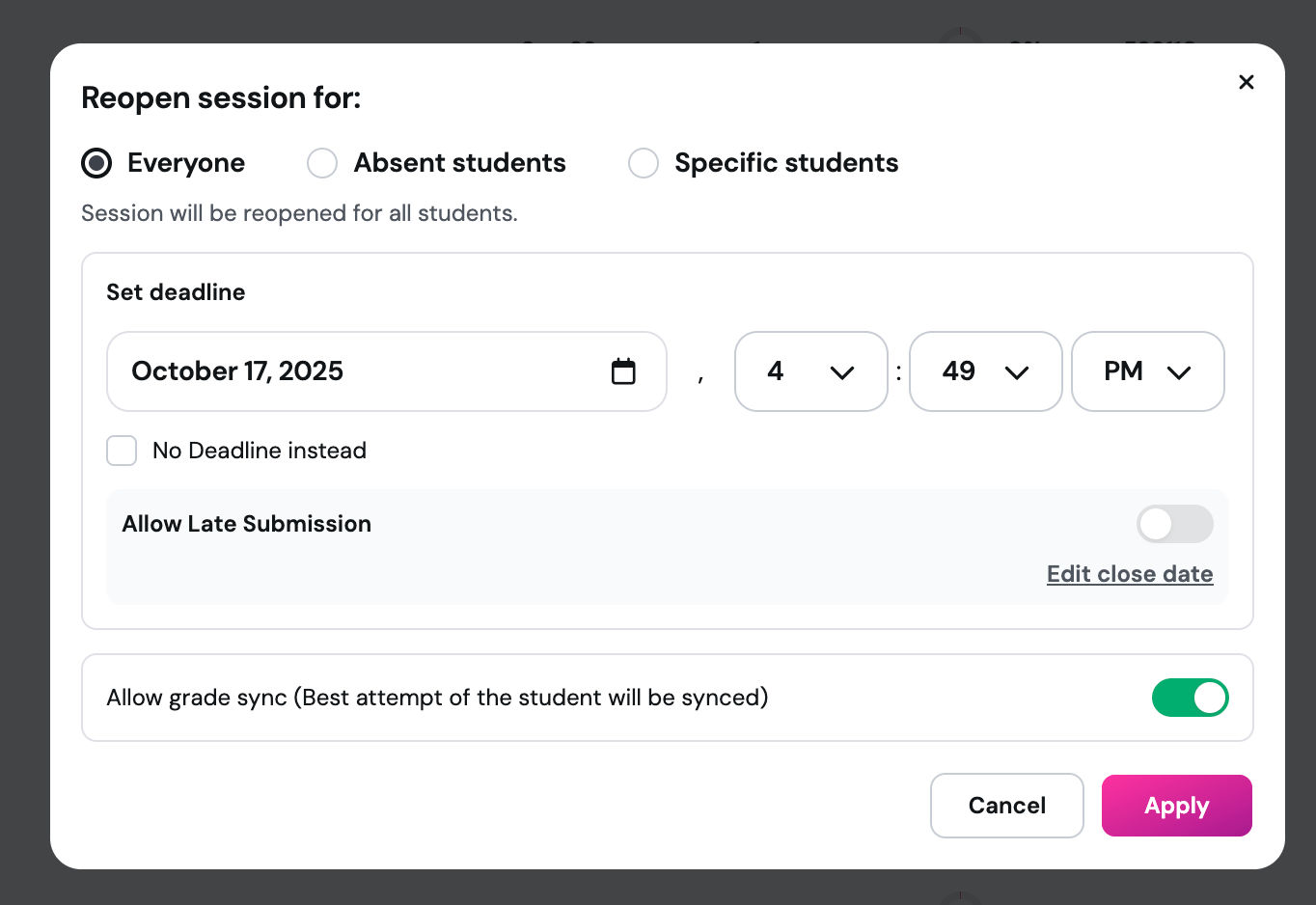
What it does
Teachers can now reopen asynchronous assignments for individual students—ideal when some students were absent, missed a deadline, or need another opportunity. Before, your only options were to reopen it for everyone or start a whole new session. That added extra work and made it harder to track progress.
This update gives you more control over late or makeup work without disrupting everyone else.
How it works
Assign an asynchronous session to a class or with logged-in students
After it's closed, go to your session dashboard
Choose Reopen
Select specific students to reopen it for
Those students get access again—everyone else stays untouched
Example in action
Let’s say you assigned a science review session before break. Most students finished on time, but two were out sick. Instead of resetting the assignment for the whole class, you reopen it just for them. They get the same experience and you keep all your results in one place—no duplicate sessions, no confusion.
