



Open a student profile to see standard mastery across every common assessment
1787043584799
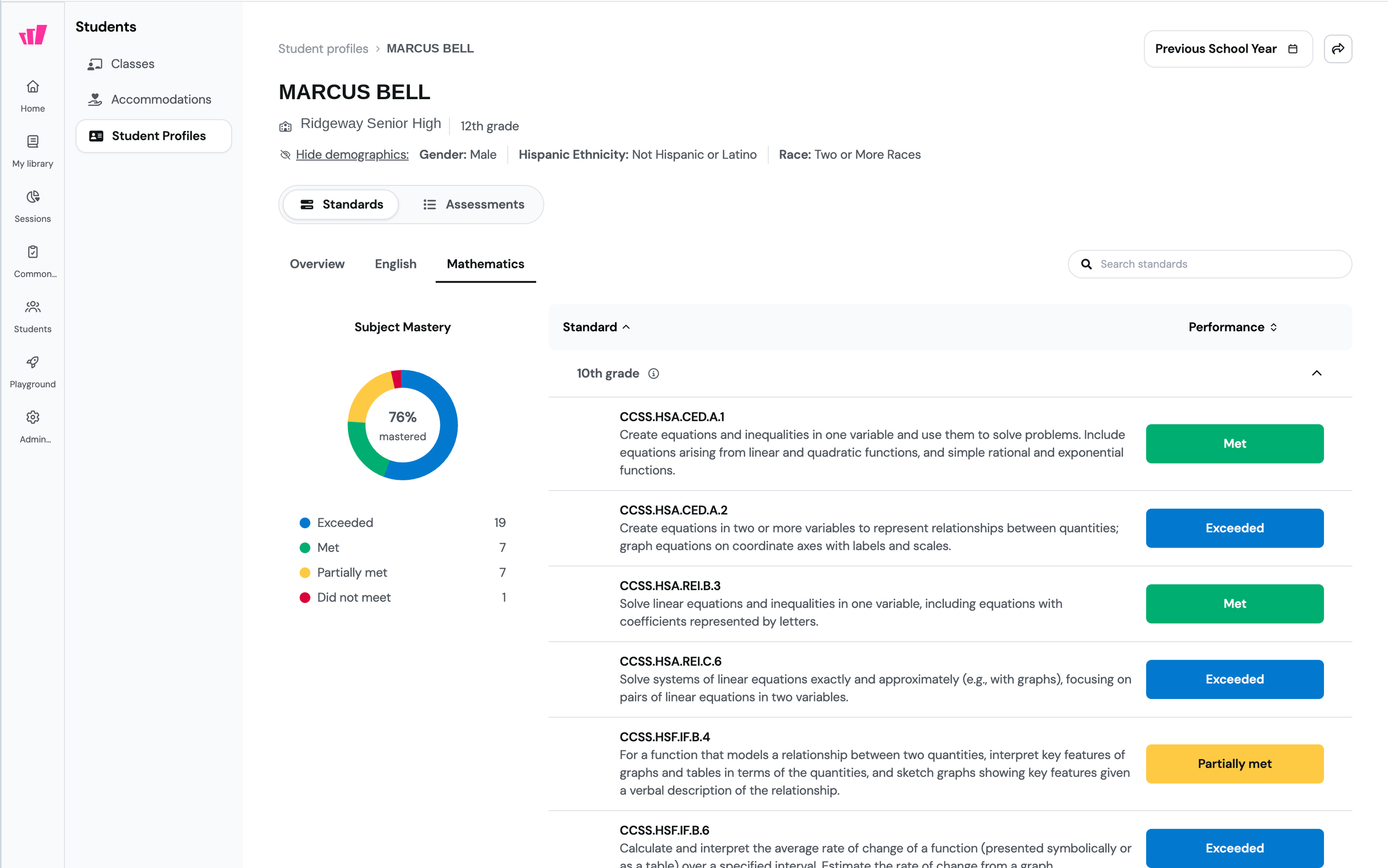
What it does
Student profilesanswer one question: how is this student actually doing? Each profile holds a student's full common assessment history in one view, so you can see which standards they've mastered and which ones they haven't across the whole year, not one assessment at a time.
Mastery is scored against the performance bands your organization sets, so "Met" on a profile means what your school has decided it means.
How it works
Open Student Profiles under Students
Search for a student, or narrow the list by school, class, grade, and subgroup
Open the student and pick a subject and grade to see the mastery breakdown per standard
Switch to Assessments for every common assessment they took in that timeframe
Student profiles currently show Common Assessments data only, and it's available to organizations with the Common Assessments and Clever or ClassLink connected. Admins can set the performance bands, the mastery calculation, and who can view subgroup data.
Example in action
A 7th-grade science teacher picks up a transfer student in November. She opens his profile, sees 45% mastery in 7th-grade science, and finds three ecosystems standards marked "Did not meet," while the rest are marked "Met" or "Exceeded." The Assessments tab shows the two common assessments that produced those results. She knows which standards he needs before he takes his first assessment with her.
What did you think about this update?


Leave your name and email so that we can reply to you (both fields are optional):
