



Let your students post to a Discussion Board and comment on each other's answers
1791462025752
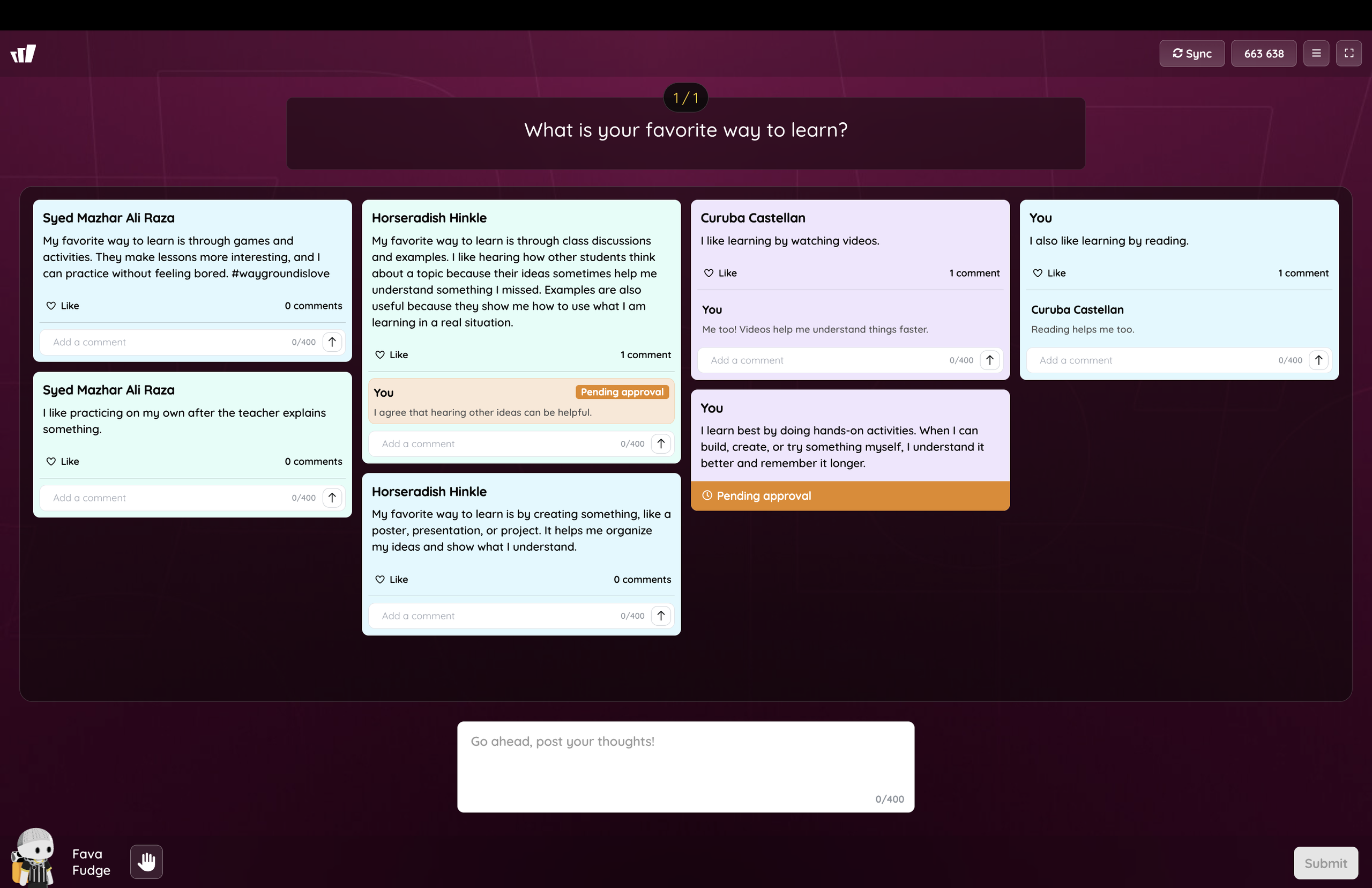
What it does
Discussion Board is a new question type for teacher-paced live sessions. You ask an open question, every student posts a short response, and the responses land on a shared board where classmates can like and comment on them.
You control what reaches the board. You can review posts before they appear, turn comments on or off, let students post more than once, and change any of these mid-session. As responses come in, you approve or reject them one at a time or all at once.
How it works
Add a Discussion Board question and write your prompt
Set your controls for reviewing posts before they appear, turning comments on or off, and letting students post more than once
Start the session in teacher-paced mode and project the board for the class
Approve or reject each post as it comes in, or clear them in one go with Approve all
Example in action
Your 7th grade English class is reading a shared novel. You post "Which character changed the most, and why?" and every student answers on the board, where they can like and comment on the answers they find convincing. You end the session with every student's answer in one place, in their own words.
What did you think about this update?


Leave your name and email so that we can reply to you (both fields are optional):
