



Grade open-ended responses with rubric-based AI and a state rubric library
1773924118705
What it does
Grading open-ended responses consistently takes time — and doing it across dozens of students, fairly, is even harder. Rubric-based AI grading lets you attach a structured rubric to any open-ended question, then have Wayground AI score and give individualized feedback on every student response against that rubric.
You can pull from a State Rubrics Library of official rubrics, generate a rubric with AI, create your own from scratch, or upload one you already use.
How it works
Create or edit an open-ended question in your resource
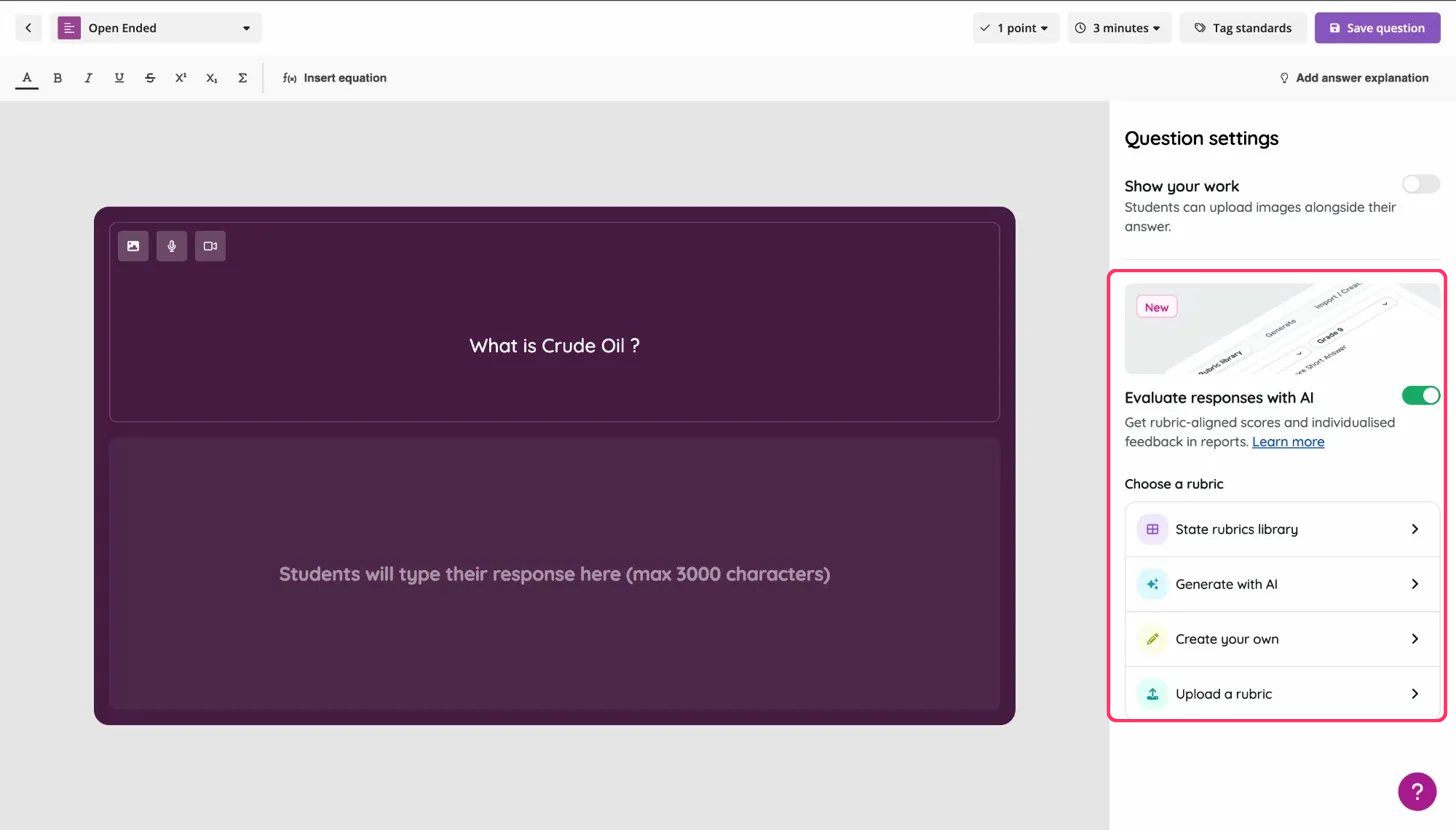
Toggle on Evaluate responses with AI in the question settings
Choose a rubric — pick from four options:
State rubrics library — browse official state rubrics (like Virginia SOL or North Carolina POG), filtered by state, subject, and grade
Generate with AI — enter your subject, grade, point value, and any additional instructions, then let Wayground generate a rubric table for you
Create your own — build a custom rubric table from scratch
Upload a rubric — import a rubric you already have
Test your rubric — enter a sample student response and hit "Evaluate response" to see how the AI scores it before going live
Save and assign your resource — Wayground AI grades every student's response using your rubric and provides scores with written feedback in your reports
Example in action
A 7th grade science teacher assigns an open-ended question: "What is crude oil?" She generates a rubric with AI, tests it with a sample answer to make sure the scoring feels right, then assigns. After students submit, she reviews AI-scored results in her reports, spots which students missed key details, and plans a reteach — without spending her evening grading paragraphs one by one.
