



Build an assessment with AI in the Wayground Official Library
1792407713590
What it does
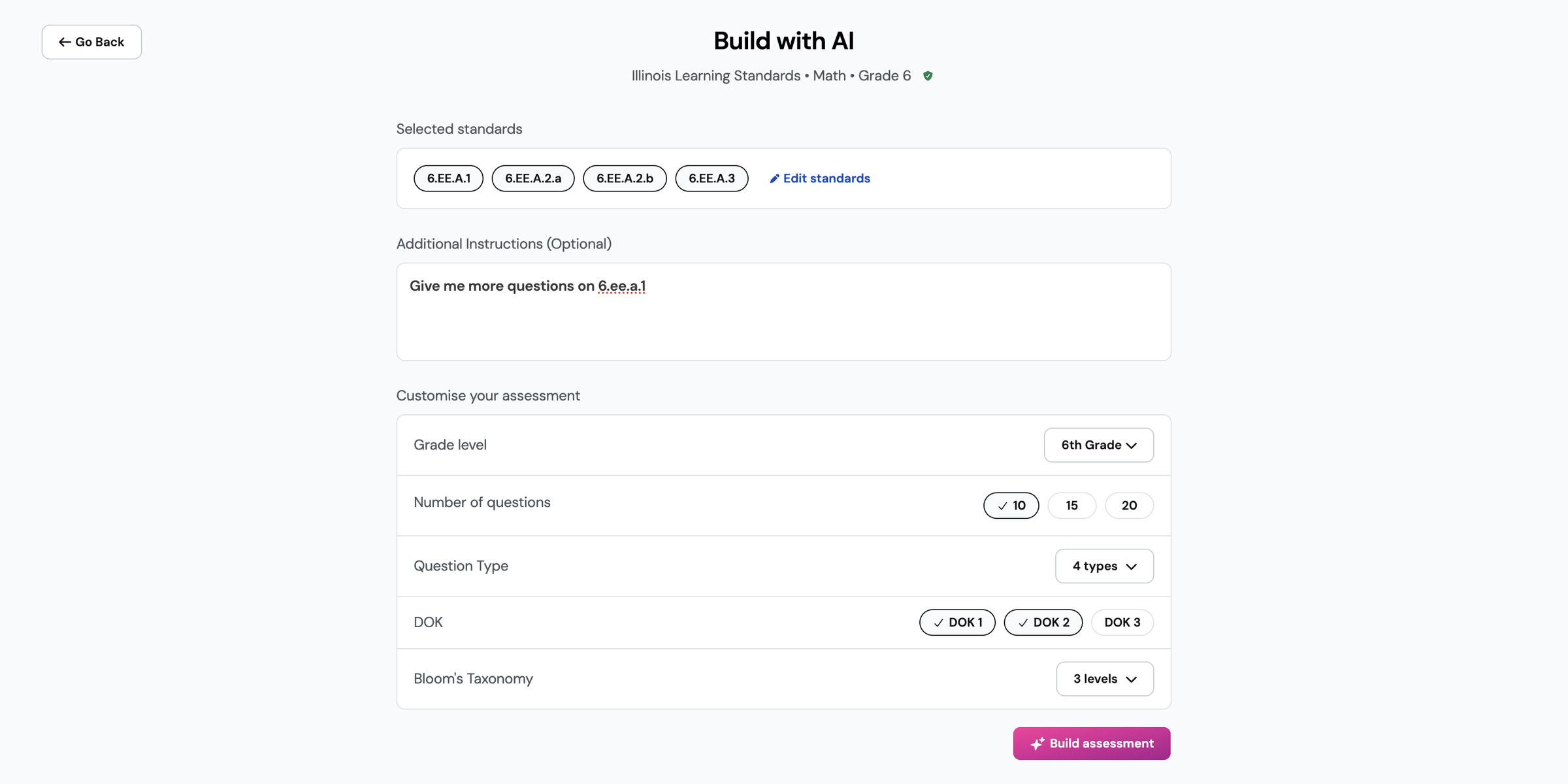
Every topic and standard page in the Wayground Official Library now has two ways to build your own assessment. Build with AI is the new one. You set the standards, grade level, number of questions, question types, DOK, and Bloom’s levels. Add your own instructions, and Build with AI assembles the assessment.
Every question comes from the Official Library item bank, so nothing is generated. Your assessment opens in the editor with that item bank in the side panel, filtered to the same standards. Pick your own questions is the other option, and it opens the full item bank so you can choose questions one by one.
How it works
Open a topic or a standard in the Wayground Official Library
Under Build your own assessment, choose Build with AI
Check the standards it selected, and use Additional Instructions to ask for more questions on one of them
Set the grade level, number of questions, question type, DOK, and Bloom’s Taxonomy
Select Build assessment, then review the draft and swap or add questions from the side panel
Example in action
Your 6th grade math class is starting expressions and equations, and you want a short check on 6.EE.A.1 before Thursday. Ask for 10 questions at DOK 1 and 2, and the draft comes back tagged by standard and DOK. You swap the two questions you’d rather not use, and it’s ready to assign.
What did you think about this update?


Leave your name and email so that we can reply to you (both fields are optional):
