



Ask your students to sort in a Match Table Grid question
1787031549318
What it does
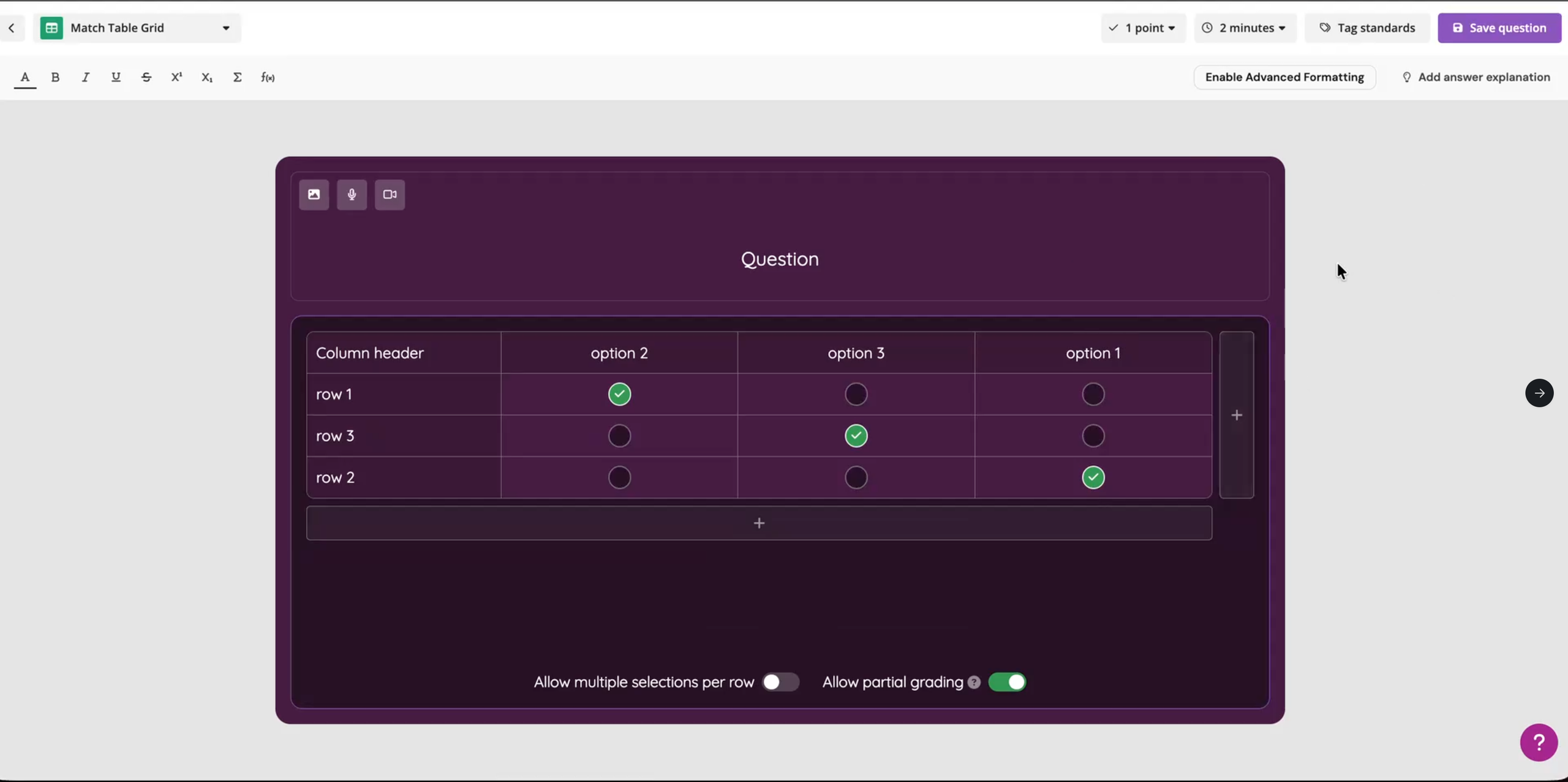
Match Table Grid is a new question type built around a table. You name the rows and columns, and you mark the cells where a row and column belong together. It's built for the questions where the connection is the point: which traits go with which organism, which event follows which cause, which examples fit which category.
One toggle controls how your students answer. With Allow multiple selections per row off, each row accepts a single answer, such as matching each country to its capital. Turn it on, and a row can accept several answers, like marking every animal that's a mammal.
Partial grading is enabled by default, so a student who gets part of the grid right earns part of the score. It counts their correct selections, subtracts the incorrect ones, divides by the number of correct answers, and never drops below zero. Every question is auto-graded either way.
How it works
Open the question types list and pick Match Table Grid under Interactive & higher order
Type your question, then name the column header, the columns, and the rows
Click a cell to mark it as a correct match
Turn on Allow multiple selections per row when a row has more than one right answer
Leave Allow partial grading on for partial credit, or turn it off to score the question right or wrong
The grid works the same way in live sessions and in assessments. Your students see their correct cells in green and their incorrect ones in red as soon as the question is scored.
Example in action
Your 7th grade science class is finishing a unit on animal classification. You build one grid with six animals down the rows and warm-blooded, lays eggs, and breathes through gills across the columns, with multiple selections turned on. A student who marks four animals correctly earns credit for those four. You can open the results and see which two animals tripped up the class, row by row.
What did you think about this update?


Leave your name and email so that we can reply to you (both fields are optional):
