



Accept late work without creating extra headaches
1765444214576
What it does
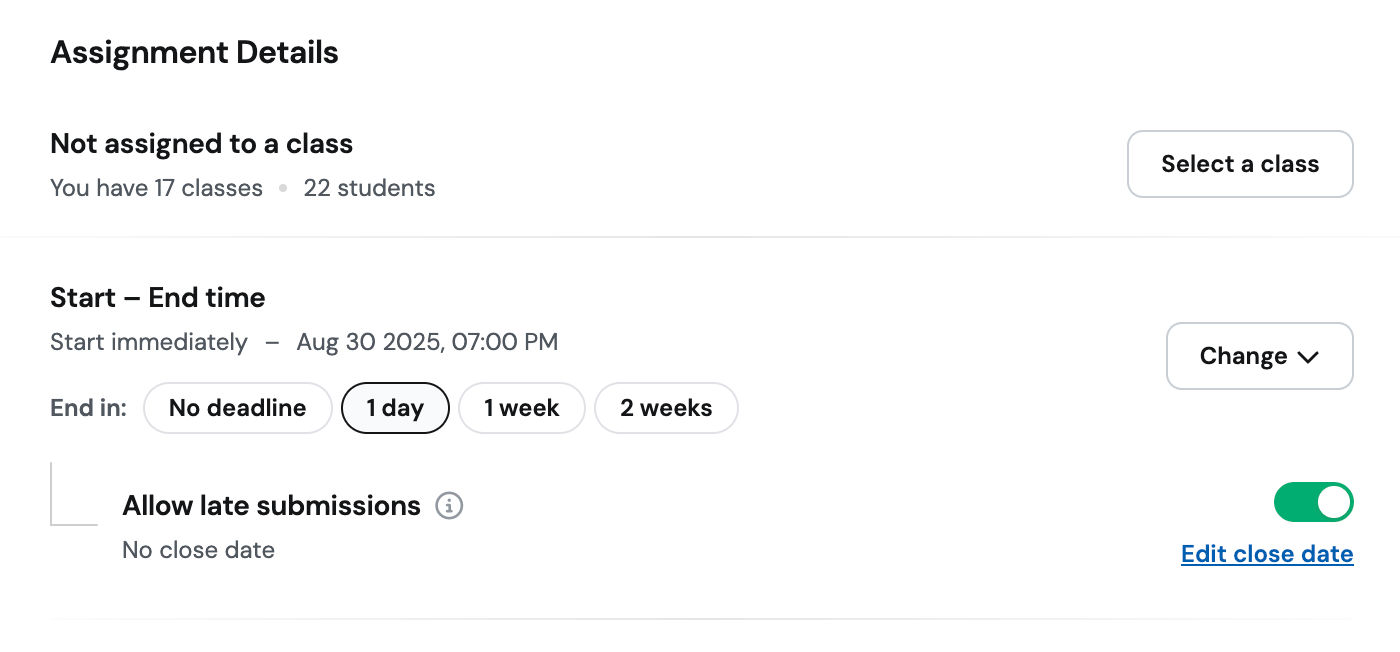
Late submissions are now supported directly in Wayground. You can give students extra time without sacrificing clarity or breaking your flow. Any submission after your set deadline is clearly marked as late—no more losing track or editing reports by hand.
How it works
When creating an assignment, set your regular deadline as usual
Toggle on the option to allow late submissions
Optionally, set a final close date when submissions will be cut off entirely
Students submitting after the deadline will appear as “late” in your session view
Everything is tracked cleanly, so your reports stay consistent
Example in action
You're teaching 7th grade social studies. The presentation is due Friday, but you know some students will need the weekend. You allow late submissions through Sunday. Wayground tracks who turned it in late, and your Monday morning view clearly shows who's on time, who's late, and who still hasn't submitted—all without reopening or reassigning anything.
