



The Student Lobby Now Puts Every Qbit in the Spotlight
1774527008160
What it does
Getting students settled and ready the moment they join a game is half the battle. If the waiting screen feels generic, some students tune out before the first question even loads.
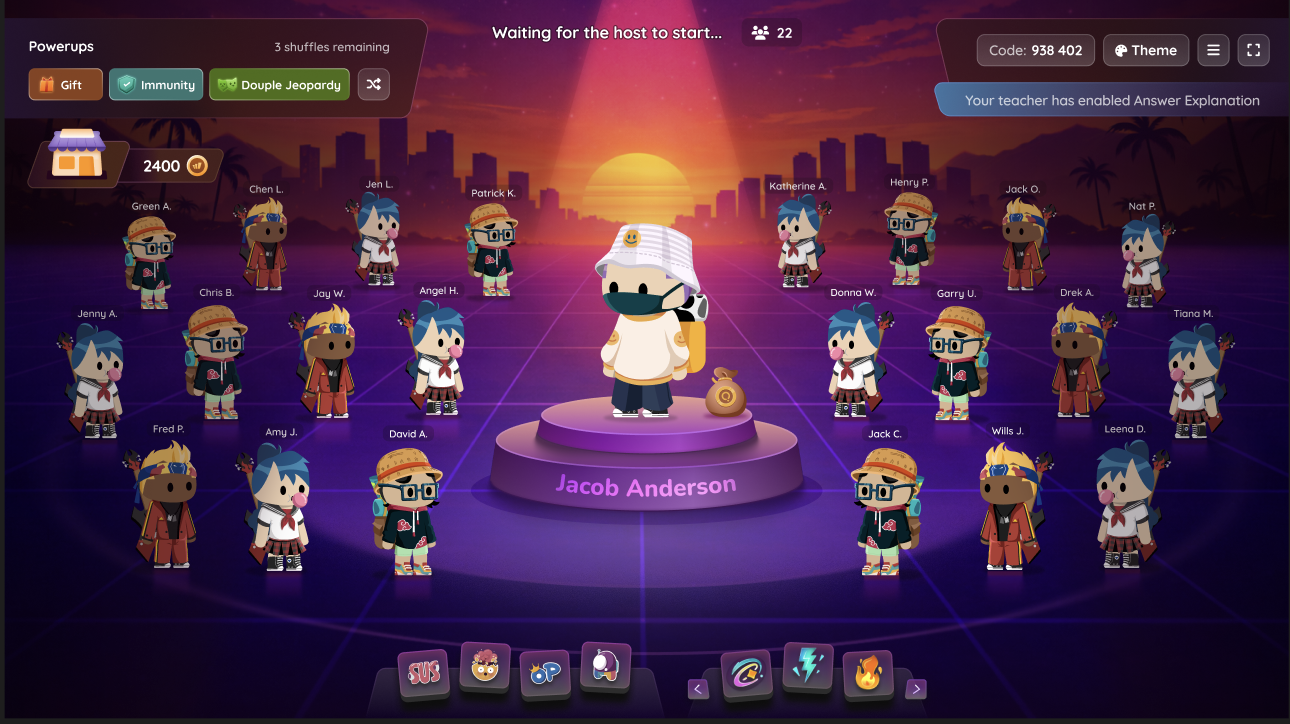
The Student Lobby has been redesigned to put each student's Qbit front and center. Instead of blending into a crowd, their avatar now takes the spotlight on its own stage while they wait for the game to begin. If you use Test Mode, Common Assessments, or No Frills Mode, those experiences are unchanged.
How it works
There's nothing new to configure — the updated lobby is on for all students automatically.
Launch a session the way you normally would.
As students join, each one sees their Qbit centered on their own stage.
Start the game when you're ready.
Example in action
A 7th grade science teacher runs a review game before a unit test. As students join, each one immediately spots their own Qbit front and center and can see classmates arriving in real time. By the time the teacher hits start, the class is already leaned in.
