



A built-in protractor for your students' assessments
1779964471949
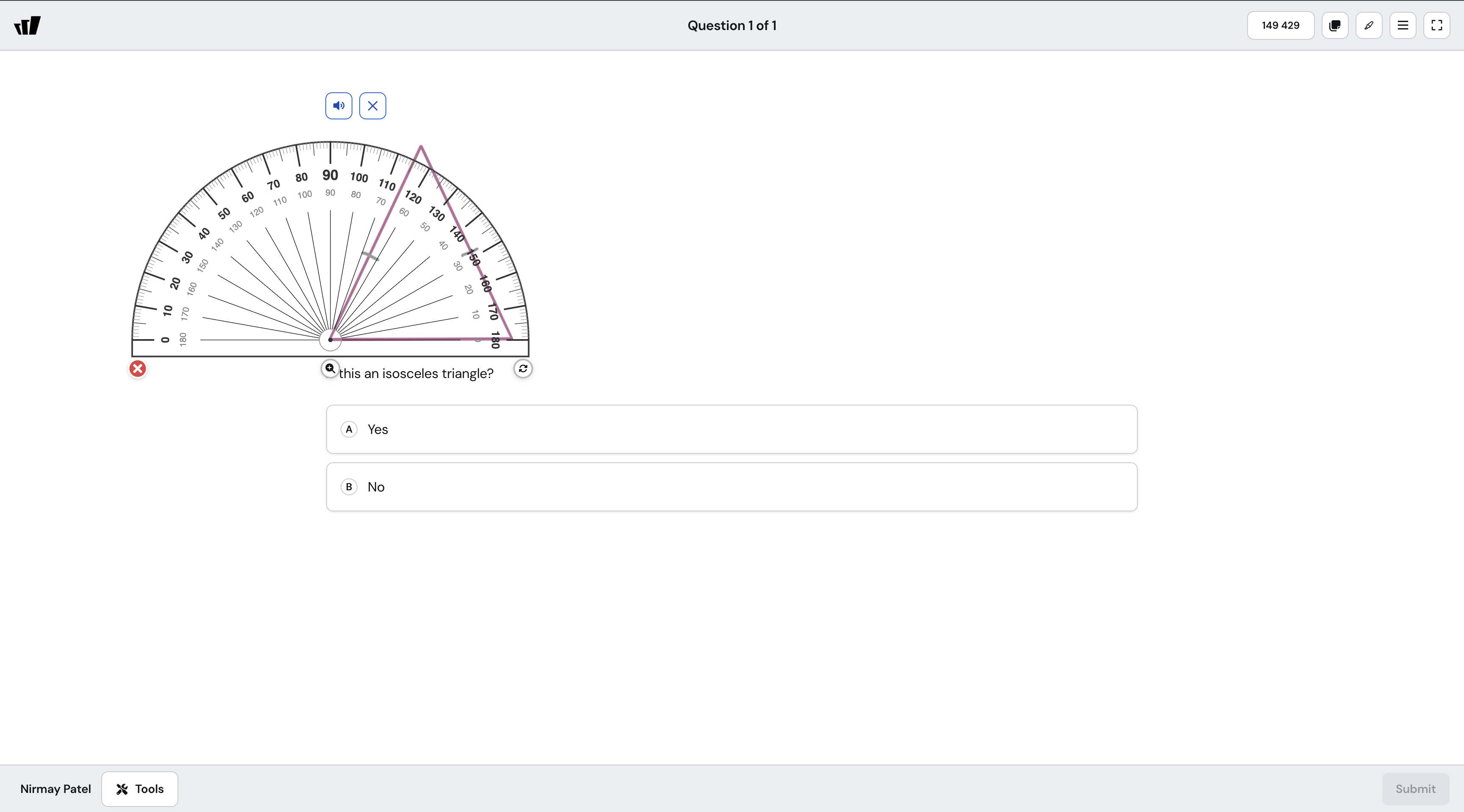
What it does
Wayground now includes a protractor in the Accessibility Tools available to your students during a session. Students can drag it, rotate it, and measure angles without leaving the question.
This brings Wayground in line with state testing platforms , where on-screen protractors have been standard for years. Your students get to practice in the same environment they'll be assessed in.
How it works
The protractor is set per-session, alongside the other accessibility tools like Desmos and the Four Function Calculator:
Open the session settings
Scroll to Accessibility Tools under Student Support
Set Protractor to "Enabled for all students”
Your students can pull it up from the toolkit whenever needed
Example in action
Your 7th grade geometry class is reviewing classifying triangles before the unit test. You build a quick session with a few "is this an isosceles triangle?" questions and turn on the protractor in the session settings. Your students measure the angles on screen, work through the questions, and you get clean data on who actually understands angle measurement.
What did you think about this update?


Leave your name and email so that we can reply to you (both fields are optional):
