



A built-in highlighter tool for your students' assessments
1780647760207
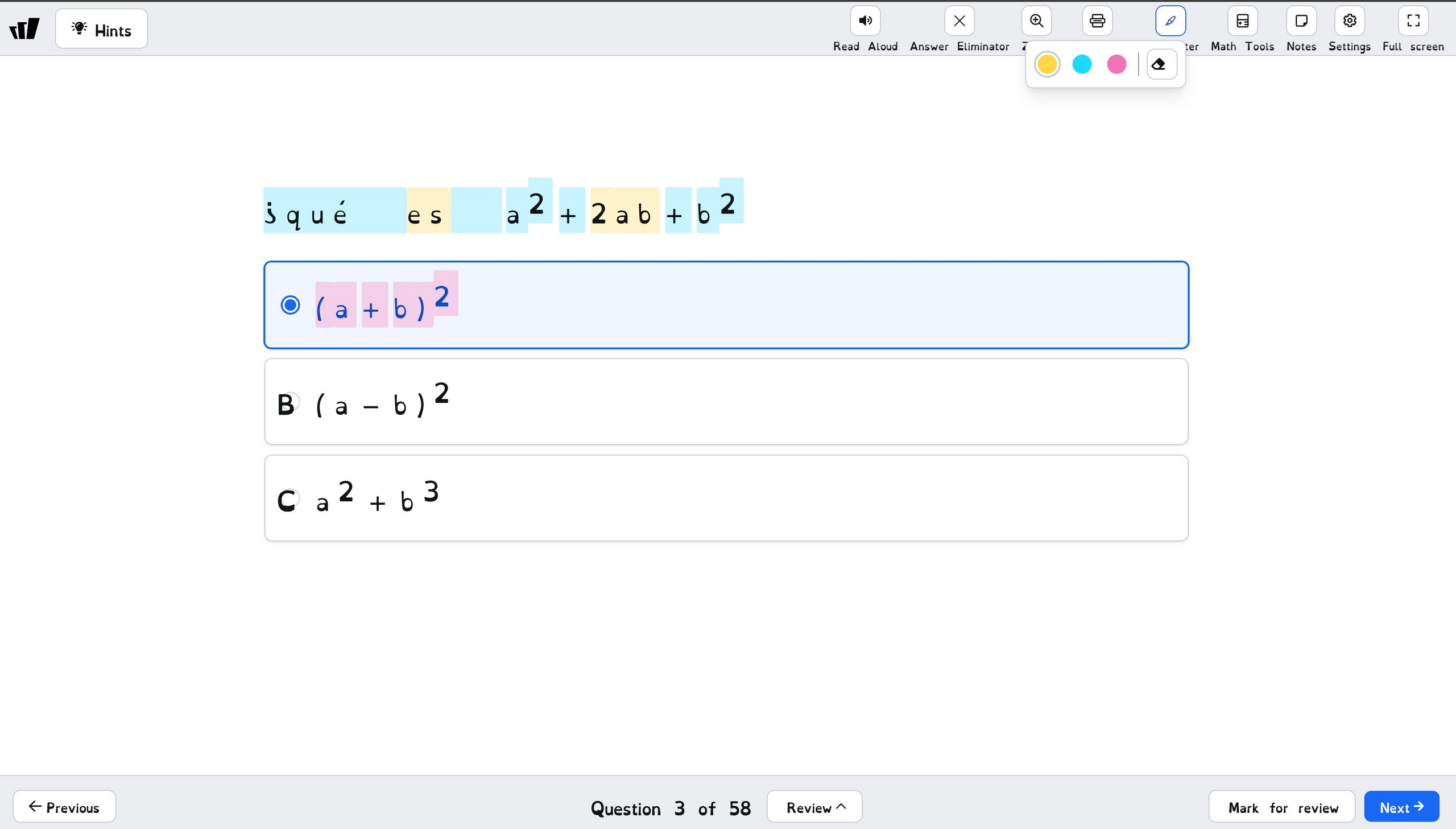
What it does
Wayground now includes a highlighter tool inside the question-taking experience. When your students are working through a passage or reading a question, they can highlight key text right on screen, the same way they would on a state test.
This brings Wayground in line with state testing platforms like STAAR, CAASPP, and PARCC, which have included on-screen highlighters for years. Your students get to build the habit of marking up text in the same environment where they'll be assessed.
How it works
Assign or host a resource that includes passage-based or text-heavy questions
When your students open a question, the highlighter tool is available on screen
Students select any text and highlight it to mark key details, evidence, or important phrasing
Highlights stay visible as they work through the question and can be removed at any time
Example in action
Your 6th grade ELA class is working through a reading comprehension assessment. One of your students reads a long passage and needs to find textual evidence for their answer. Instead of trying to hold everything in their head, they use the highlighter to mark the relevant sentences. The same strategy they'll use on their state reading test. You get a cleaner picture of their comprehension, and they get real practice with a tool they'll see again on test day.
What did you think about this update?


Leave your name and email so that we can reply to you (both fields are optional):
